
AI trading cards photo booth: every guest becomes the star of their own card
PixsBooth is software for photo booth operators: you subscribe, run it at your clients' events and charge for the experience. The guest picks a theme, takes a photo and types their first name; in about 30 seconds the AI creates a double-sided collectible card with their real face, and your client's logo on the back.
- 100 free AI creations
- No credit card
- Hebrew, French, English
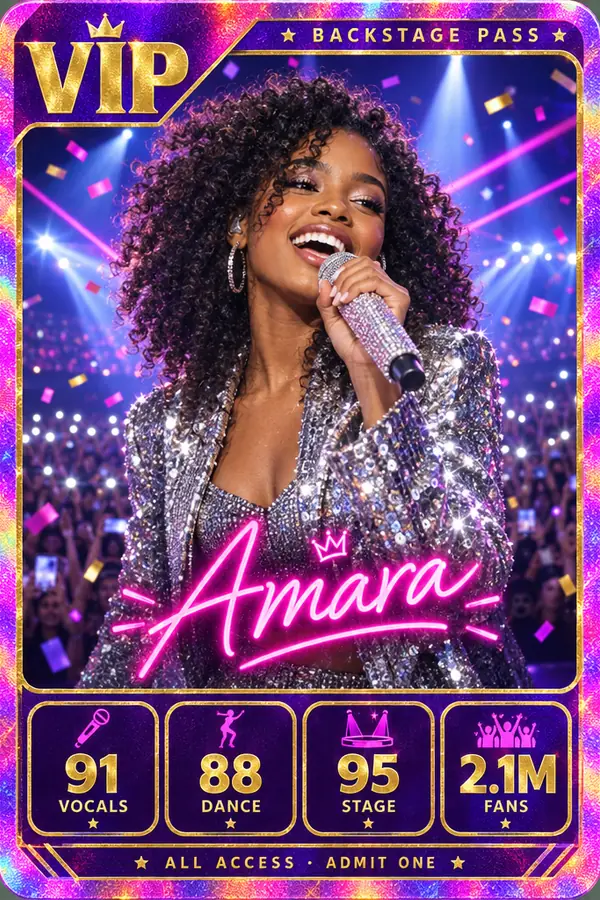
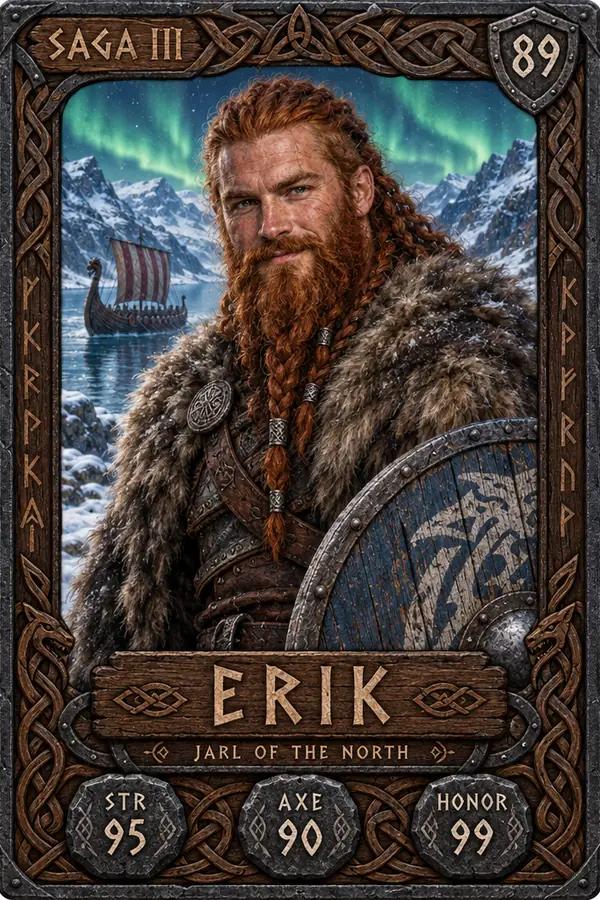
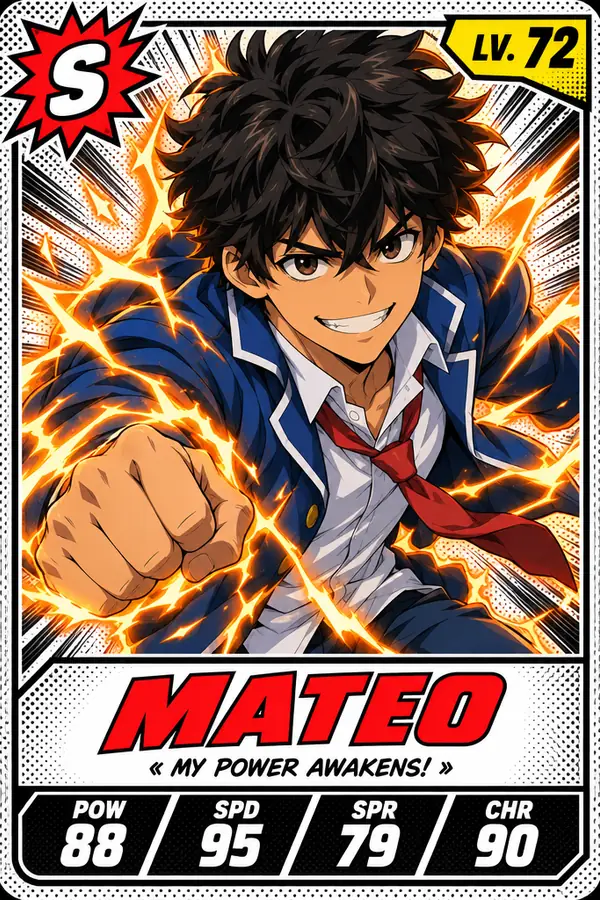
A real card, front and back
Their real face
The AI keeps the face and dresses it in the chosen style. Kippahs, hijabs and glasses stay on the card.
Their name and stats
The first name is printed on the card, with stats like a real sports card.
Their face on the front, your brand on the back
One back for every card, with the client's or the event's logo. 70 × 100 mm, ready for a 7 × 11 cm sleeve.
A theme for every party
Pop star, knight, racing driver, astronaut, pirate, viking, anime hero, basketball, hockey… Plus up to 15 styles you build yourself.
Five taps, under a minute
- The guest picks a theme, then narrows it down if the theme offers options.
- Countdown, photo, then the review screen: "Retake" or "Perfect".
- They type the first name that will be printed on the card.
- The AI creates the card in about 30 seconds, with progress steps on screen.
- The card flips on screen. They print it, or get it by QR code, text, email or AirDrop.
Tech specs
- Card size
- 70 × 100 mm by default, adjustable in print settings
- Paper
- Front and back side by side on one 4×6 sheet, with a cut line
- Back
- One image for every card (PNG, JPG or WebP, 5 MB max)
- Printer
- DNP or HiTi photo printer, through Print Station
- Sharing
- QR code, text, email or AirDrop, plus the event gallery
- Counting
- Each card counts as 1 AI creation
Bring 7 × 11 cm sleeves and scissors or a trimmer: a sleeved card instantly feels collectible.
The experience every client asks for
The wow factor
A real collectible card with each guest's face and name, ready in half a minute: that's what sets you apart.
Bar and bat mitzvahs, birthdays
Weddings and sports events too: everyone wants their card, and guests compare them all night.
Corporate events
Conferences, trade shows, launches, team days: every employee gets a card, with the company logo on the back.
Your own styles
"Compose a style": a portrait style, an art style and your own description, previewed on a test photo before you offer it.
The event gallery
Every card goes to the online gallery: a slideshow on screen during the event, then a keepsake for your client with a Download all button.
An add-on that sells
The printed card is billed on top of the rental, so every event earns more.
Questions about AI trading cards
How long does it take to create a card?
About 30 seconds after the photo, with progress steps on screen.
Does the AI really keep the guest's face?
Yes, and headwear and glasses stay too. For the best likeness: good light on the face, the face large in the frame, eyes on the lens.
Can I put my client's logo on the back?
Yes. You upload one back for every card, with the company's, brand's or event's logo.
Which printer do I need?
A 4×6 photo printer, DNP or HiTi, connected to the computer running Print Station. Front and back print on the same sheet.
Can I create my own themes?
Yes, up to 15 custom styles, each previewed on a test photo before you offer it to guests.
Try it at your next event
Create your account, set up an event and connect the iPad with a 6-digit code. 14-day trial, 100 AI creations included, no credit card.